This post was last updated on August 6th, 2025 at 01:45 pm.

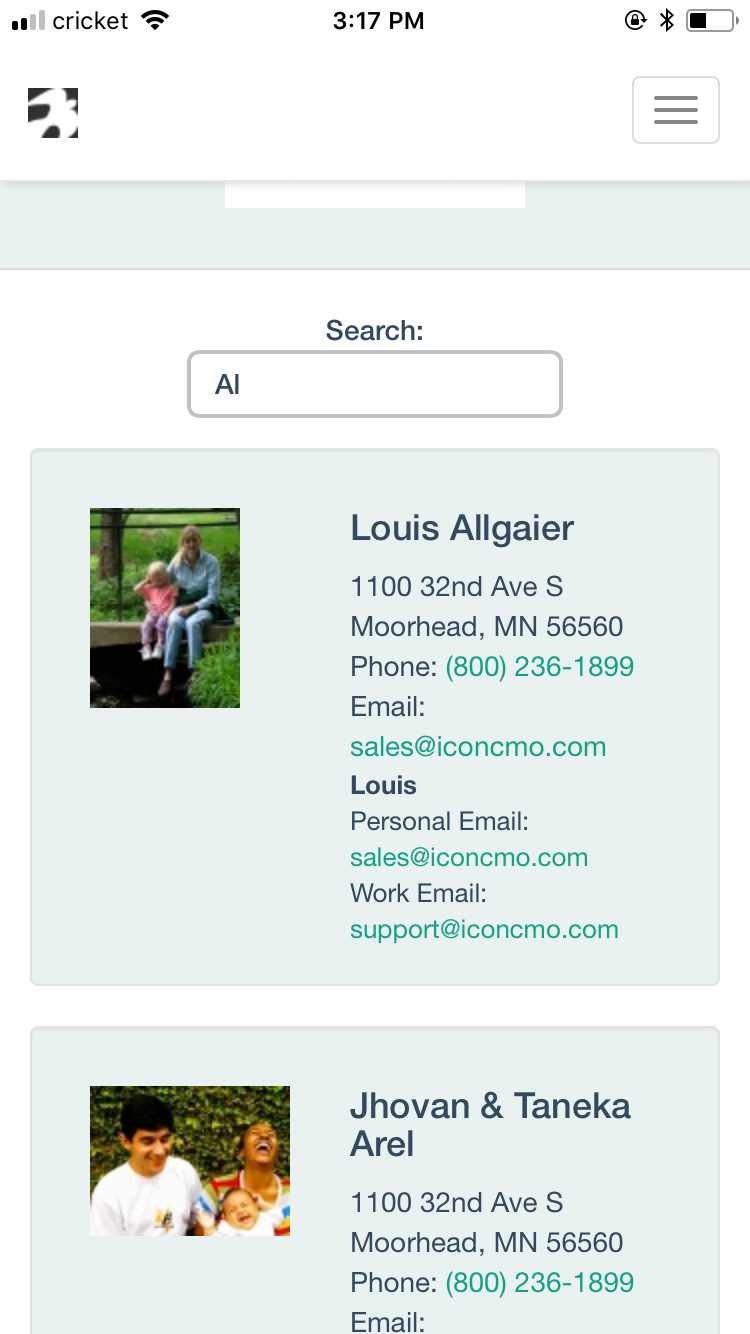
Our IconCMO church software mobile app, available for both Apple and Android devices, is designed to allow congregation members to log in to the database using their member portal login credentials. By using member login credentials, they’ll open IconCMO in a mobile interface, which allows them to view their donations as well as their personal and family information on file with the church. If given the correct access, they can even update their own individual or family information. Additionally, the mobile interface features a directory that is compatible with both iPhone and Android devices.
Go to your app store and type in IconCMO to find our free mobile app. (Note: Members can also log into the member portal anywhere online from the same IconCMO login page as the staff and admin users.)
Don’t have a member portal username and password?
Here’s how to get them.
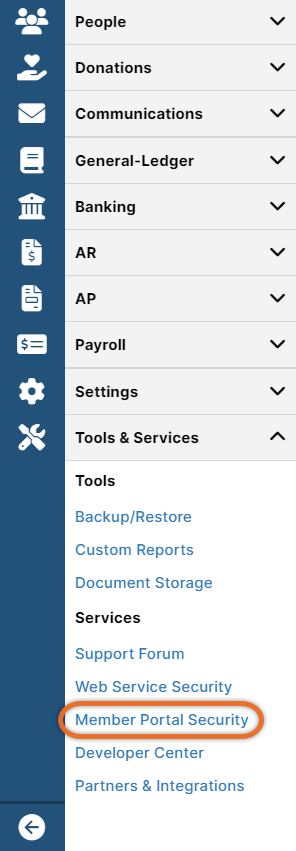
- In IconCMO, go to Tools & Services: Services: Member Portal Security.
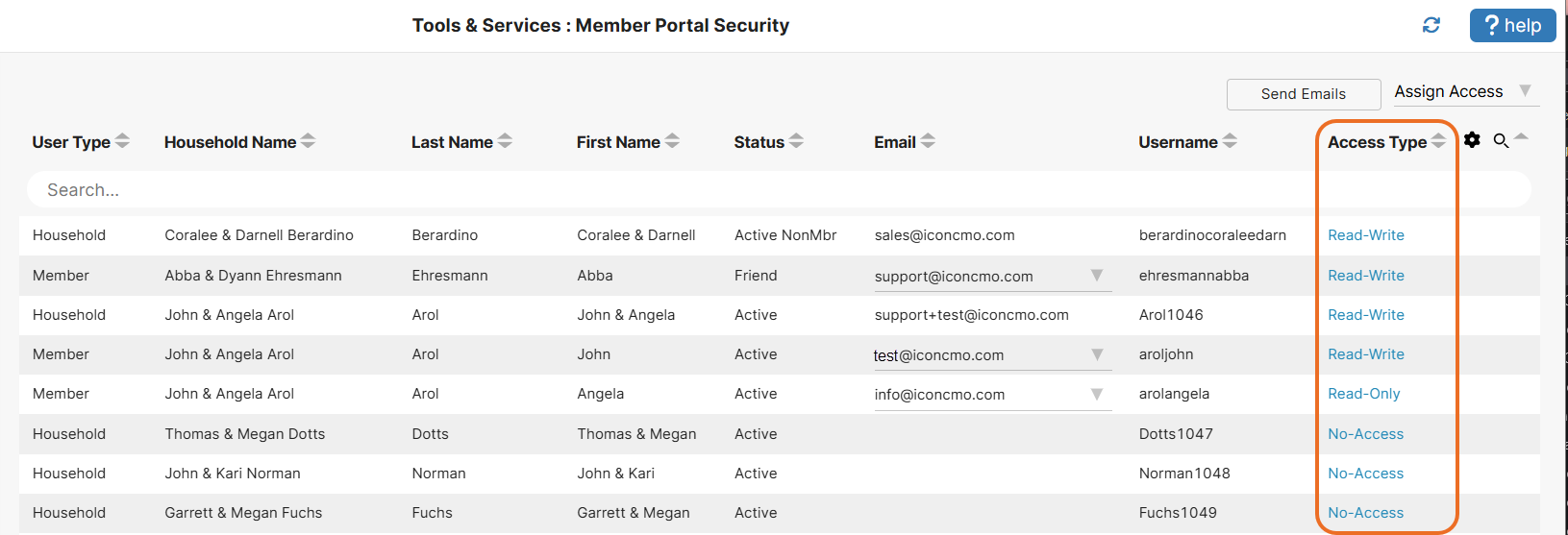
- Use the search bar to search by name, email address, or any other criteria listed in the columns on the screen. (To get member portal login credentials, an email address is required, and individuals must be marked as head of household.)
- Then, click on the blue Access type to change it to Read-Write or Read Only.
- Next, click Send Email.
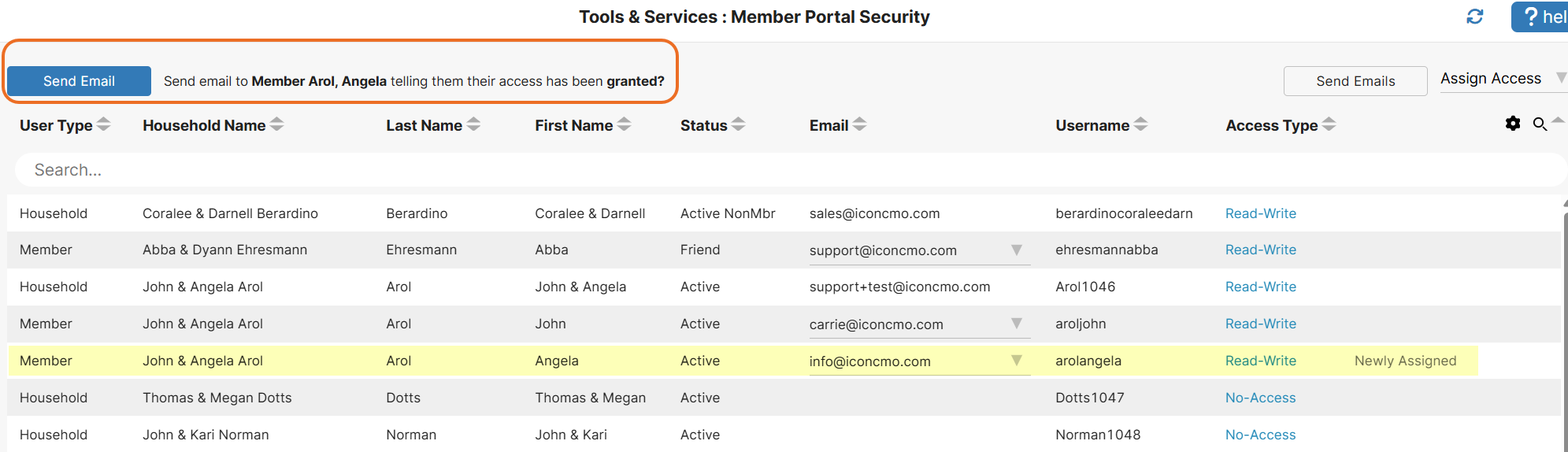
- Soon, the member will receive an email containing the church’s phone number, a username, and a link to set up their password.
- Once the password is set up, they can open up the mobile app on their phone and log in using these credentials.
By following these steps, you now have a mobile user interface to view (and possibly edit) your own information, as well as a searchable online directory, all within our church software mobile app.
Let us know what you think. At Icon Systems, we’re continually working to ensure you have the very best church management software to support your ministry.

I have downloaded the mobile app to my phone and can log in but when it opens I can not get to the menu screen on the left. When I quickly tap member services it quickly says Hi and how to get the modified screen. What am I doing wrong?
I will be traveling and want to use my phone for reports I need to do
Hi John,
If your left menu isn’t showing up, there is a way to hide and show that menu. At the top left of IconCMO above where that menu would be, there should be the Icon Systems logo and three horizontal lines (some call this a hamburger menu.) If you click on the three horizontal lines it can hide or show that main menu on the left. If you are still having troubles, please feel free to call our customer support team at 218.236.1899. We are happy help you troubleshoot the issue!
Will using the app on my iPhone s allow me to do everything that I would normally do? For instance, like adding members, updating information as do adding donations. Or is the app access just for my own personal login and my own information?
Thanks
Jackson
Shimica,
This app is for Member access. You can have 2 log ins, a member login and a staff login. The a member login will get you into this app (or you can login on a desktop as well) which allows you to view and search the church directory, search and print the contributions for your household, view and (if given write access by the church) update your person or household information – which will automatically update the church’s database. You can also have a a staff login for your regular IconCMO database (adding members, entering donations, etc.) which is designed for a larger screen size like a tablet or desktop.
We already have ICON set up at our church. However the iPhone app does not work with IOS-11. What do we do now?
To clarify, it is ICON-CMO lite that does not work with IOS-11.
Thanks for the question, Norman. IconCMO Lite was created by a third party and is no longer available. That’s why we created our own mobile app. You can get it by looking up IconCMO in iOS or Android app stores. You’ll need to log into it with a member portal login, as this blog post explains.